
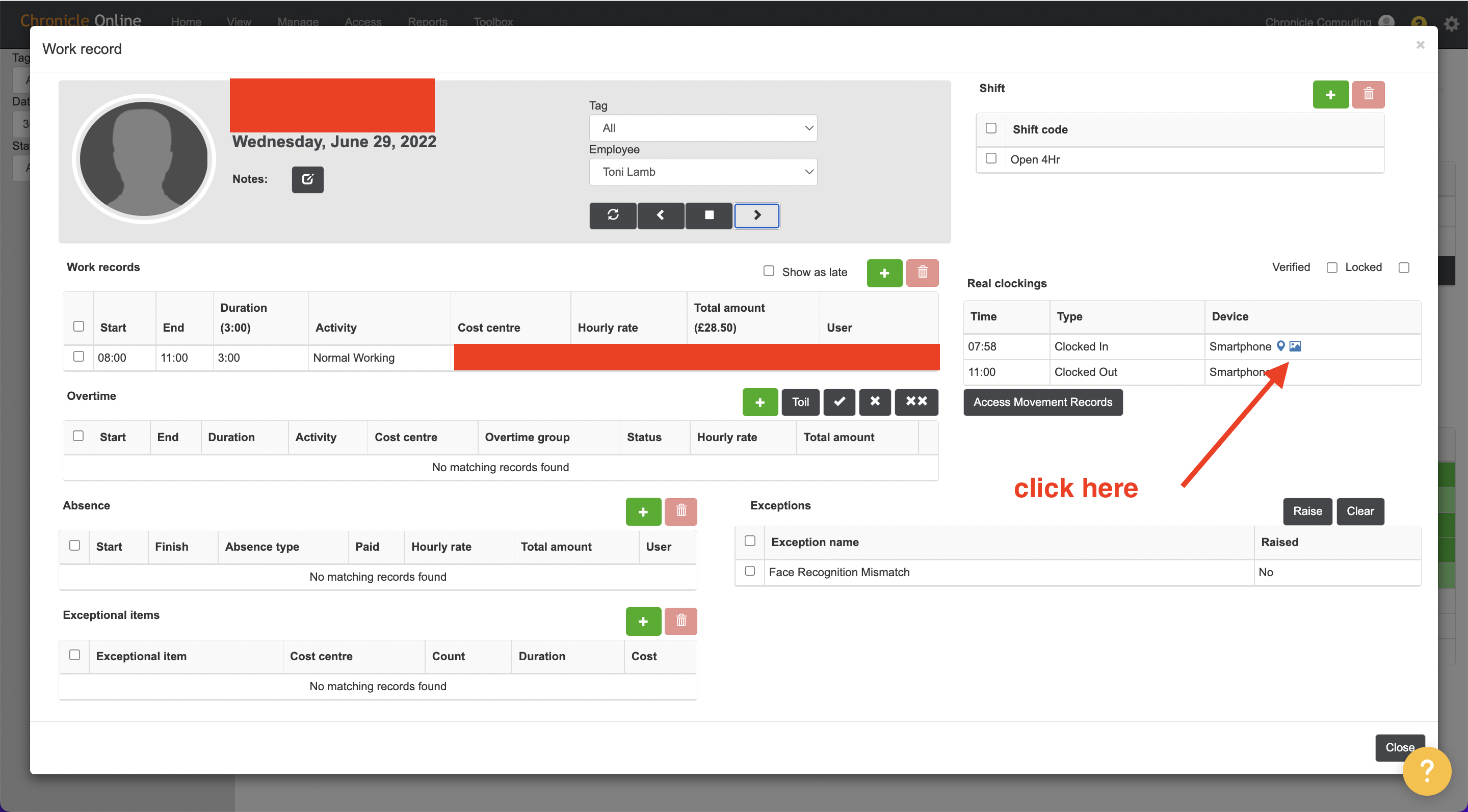
If you see an exception stating 'Face Recognition Mismatch' has been raised, you can investigate and see the original enrolled image of the person and the image the Chronicle system is struggling to match 100%.
- Click view and go to live data
- Search for the persons name on the search bar
- Double click to the shift in question
- Then click on the Image box under real clocking as show in the image below
Comments
0 comments
Please sign in to leave a comment.