
Scheme Ceased EPS
If you no longer need your PAYE scheme, you need to tell HMRC and send a Scheme Ceased Employer Payment Summary (EPS) advising them to close the scheme.
Do not use this if you are temporarily not paying staff within a tax month but you will again in the future. Instead, you need to send a No Payment EPS to HMRC.
Scheme Ceased EPS
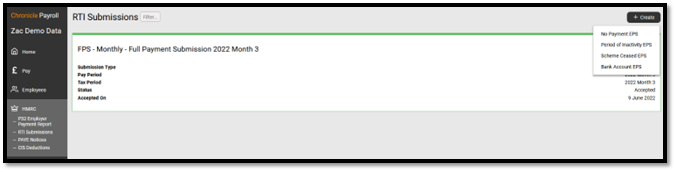
You can do this by selecting HMRC in the side menu -> RTI Submissions and selecting the +Create button in the top-right hand corner.
Select the date the scheme ceased. It can't be in the future.
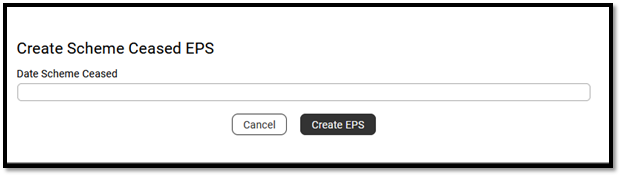
Press save and an EPS - Scheme Ceased will have been created for you to submit to HMRC.
If you cease the scheme and then would like to restart, you will need to contact HMRC to get them to reopen the scheme.
HMRC Further Guidance
Comments
0 comments
Please sign in to leave a comment.