
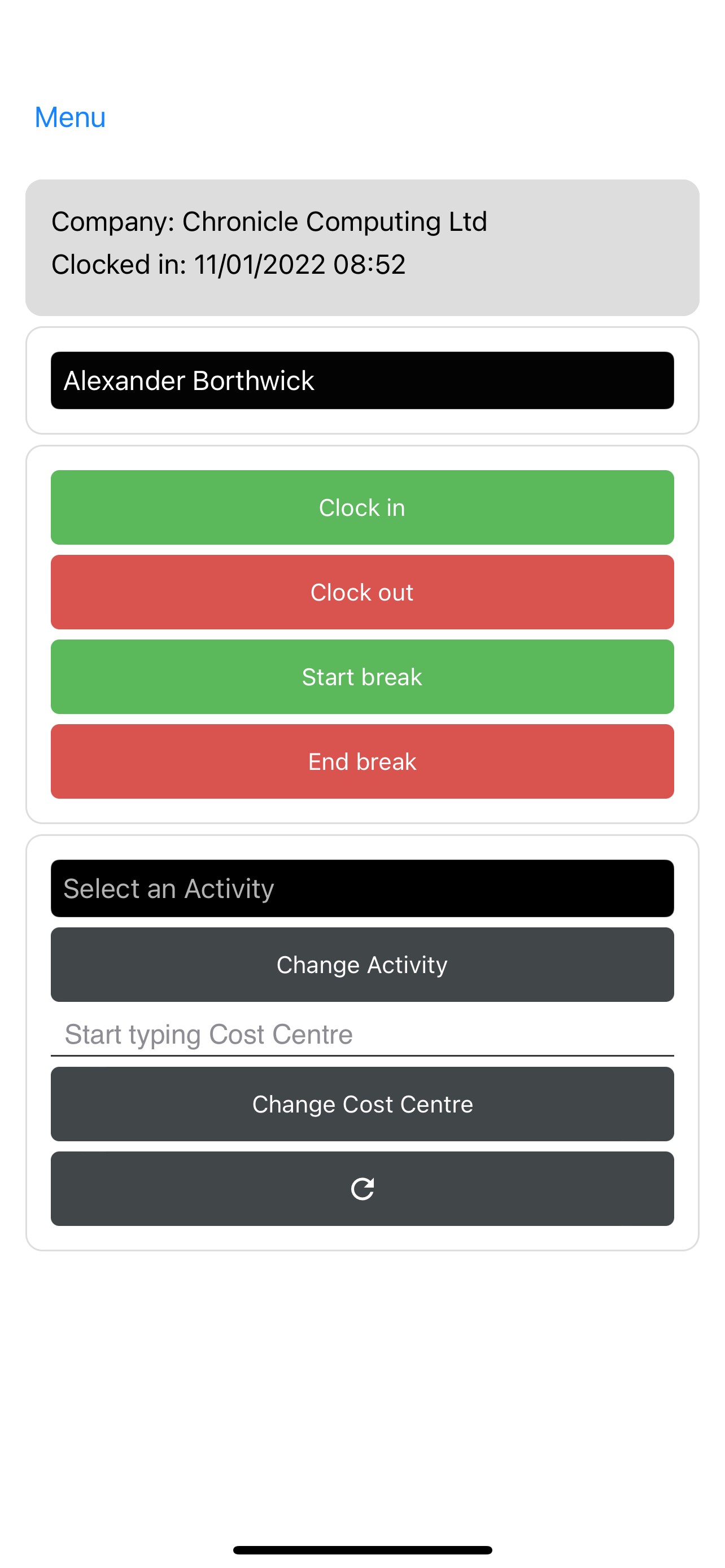
Once logged in via the mobile app you will be presented with this screen:
If you then select the ‘Menu’ icon in the top left of your screen you will be presented with this screen:
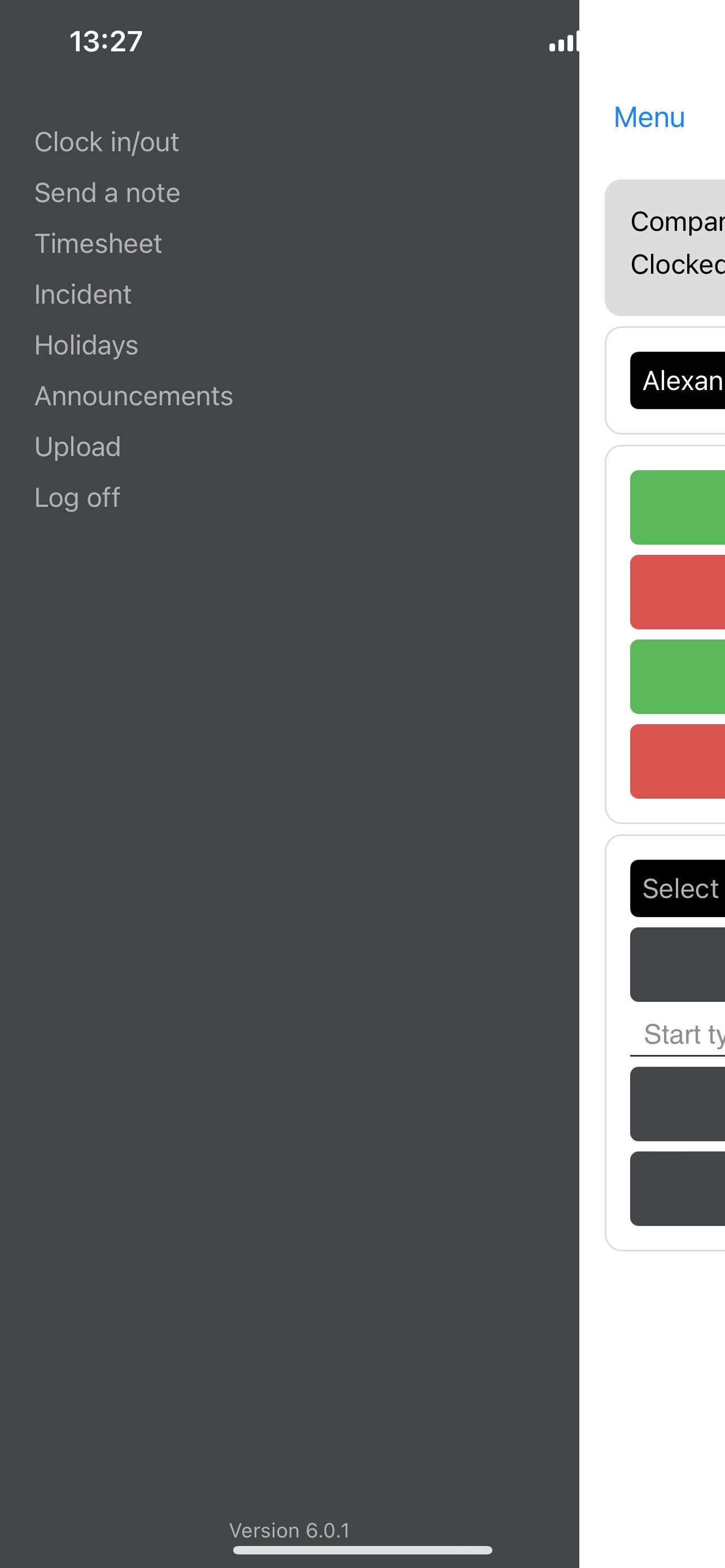
Once on this screen if you select ‘Timesheet’ on the left it will then present you with this screen:
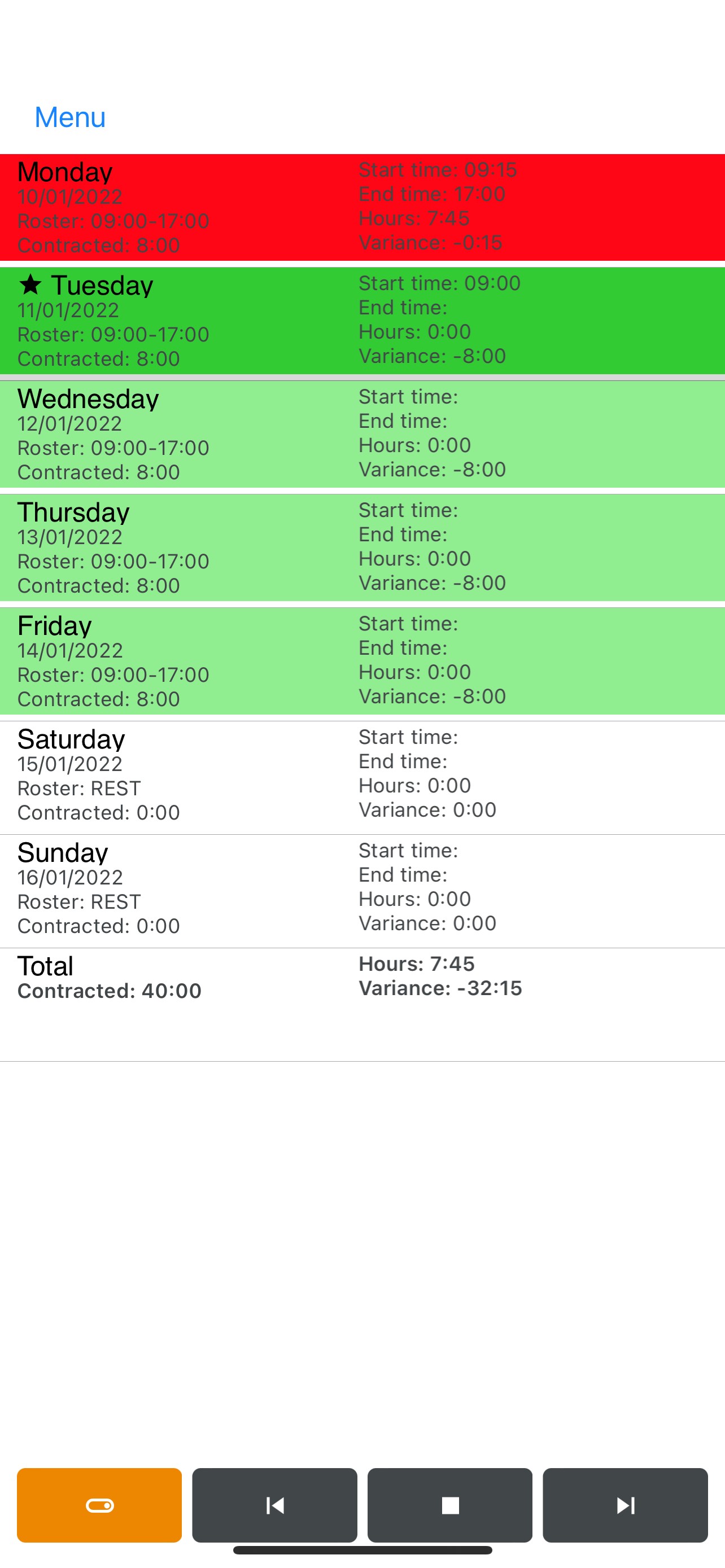
Once on this screen if you click the orange button in the bottom left corner it will take you to this screen:
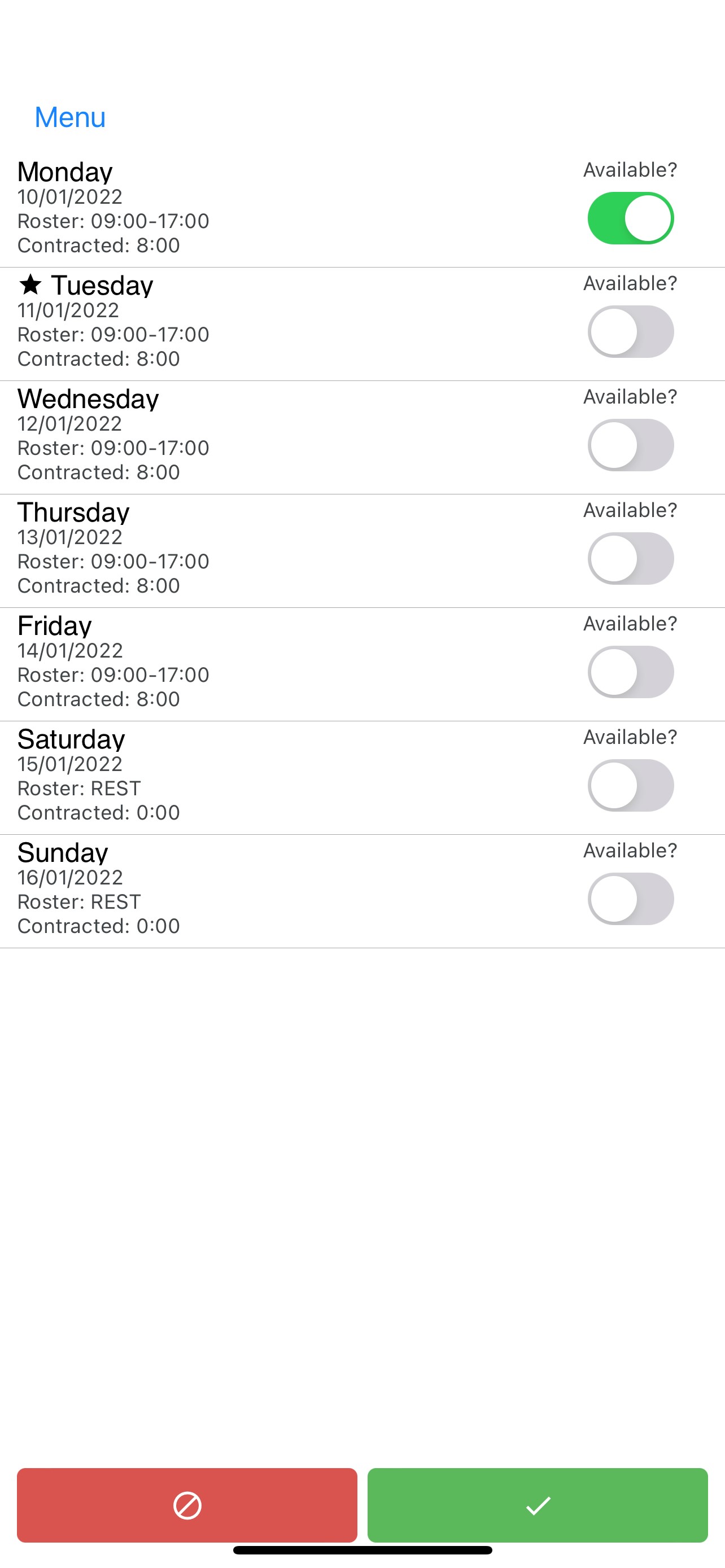
Once you are on this screen you can click the ‘Available’ button on the right to select days you are available to work, once the days you are available are marked if you select the green tick button on the bottom right it will inform your line manager that you are open to working on those set days and they can then proceed with assigning you a shift.
Comments
0 comments
Article is closed for comments.