
The bulk editor is a way that you can change multiple employee details at the same time. For example, you can change 10 different people's Roster at the same time.
For example, if you wanted to change a roster you would:
Open bulk editor
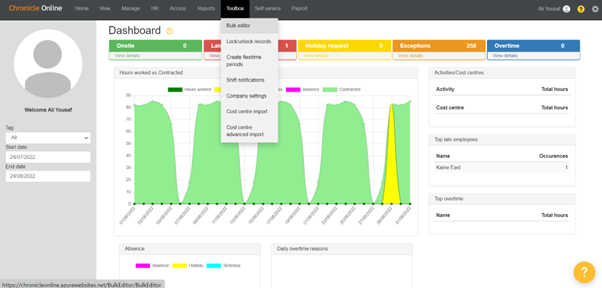
Select the employee you want to change using the tick boxes on the left-hand side.

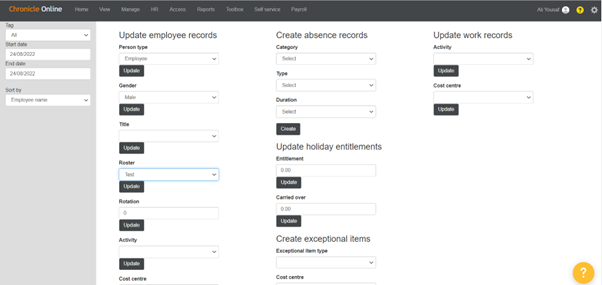
Once you have your employees chosen all you need to do is scroll down to the drop-down box that is applicable to the task you’re doing. Select the correct detail you wish to update and then hit update.
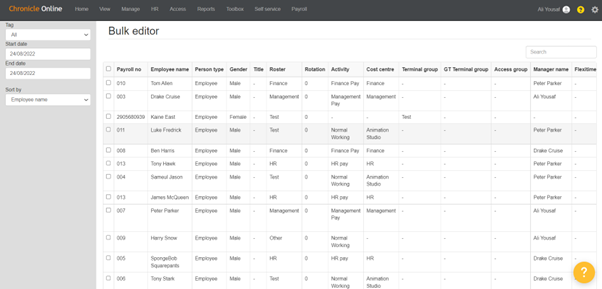
As you can see it has changed the rosters for the employees I selected
The Bulk editor isn’t just limited to changing just rosters as you can see you can update employee records, input absences, update holiday entitlements, tags etc.
With the bulk editor, you can see mostly all the information such as the manager a person comes under, employment type, the only things you can’t update against the employee when using the bulk editor is personal information such as names, pay roll number, etc.
Comments
0 comments
Please sign in to leave a comment.